




It’s finally time to say goodbye to your trusty Samsung smartphone. But before you do, don’t forget to remove all that data. You’ll need to factory reset the device to restore it to its “first-day” state. While this won’t buff out the scratches and scuff marks the phone’s outer shell has accumulated since you started wielding it, at least your data isn’t clogging up the remaining disk space. And anyway, do you really want your private data—and your dozens of screenshot folders—in someone else’s hands?
Factory reset all data on a Samsung smartphone
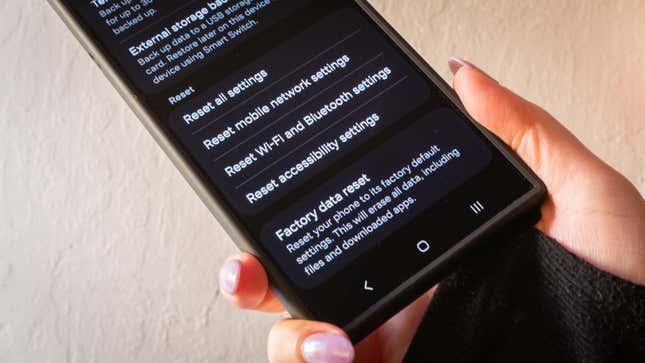
Be a mensch and factory reset your Samsung device, especially if you plan to sell your gently used smartphone or give it to a friend or family member. In the Settings panel, tap on General management, then scroll down and tap on Reset.
If you’re using the latest version of Samsung’s One UI, you’ll see a few settings in front of you. If you want to set up a temporary cloud backup for 30 days or an external permanent backup to a USB storage device or SD card, Samsung will ask you first. You can restore it later using Samsung’s Smart Switch.
When you’re ready to nuke it all, tap Factory data reset to start the process. Samsung will prompt you first, reminding you of all the data you will erase once this mode goes into motion. It includes, but is not limited to:
- your Google account
- system and app data
- settings
- downloaded apps
- music
- pictures
- the rest of your user data
Tap on Delete all to start the process. Samsung will ask you for your account credentials to ensure you are requesting changes. Then, the device will reset and restart. When it turns back on, it should be at the setup screen you saw when you first brought home the Samsung smartphone.
Additional ways to reset a Samsung smartphone
Curious about what else you can reset without doing a complete factory erase? This same page in the settings panel will let you reset your phone’s settings, wi-fi and Bluetooth Settings, and accessibility settings—the latter one is essential if you accidentally launch Talkback, for instance, which has happened to me a handful of times.
